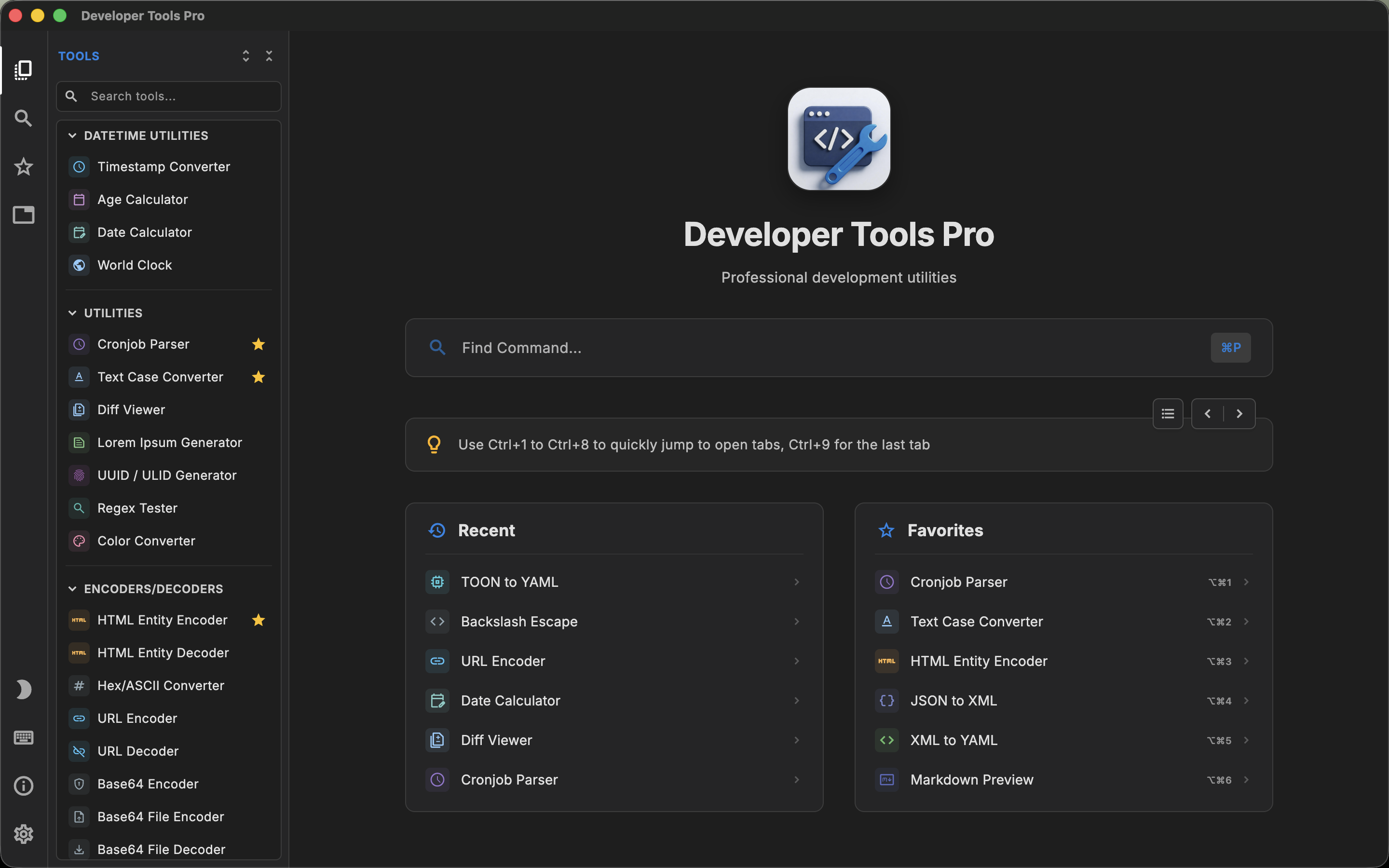
SafeUtils and DevT Pro are both large offline toolboxes. SafeUtils advertises more than 110 tools. DevT Pro advertises more than 120.
Both put a strong emphasis on keeping developer data on the local machine rather than requiring users to submit JSON, tokens, CSV files or other potentially sensitive information to random websites.
That makes choosing a SafeUtils alternative for Mac less about whether one application has a Base64 decoder and more about the composition of each toolbox, the intended audience and the surrounding workflow.
What is SafeUtils?
SafeUtils describes itself as a security-first data toolbox. It is available as a desktop application on macOS, Windows and Linux and advertises more than 110 data-oriented tools.
The product puts particular emphasis on workflows involving sensitive company and customer data. SafeUtils groups its functionality around areas such as:
- Data conversion
- Decoding
- Encoding
- Formatting
- Generation
- Previewing
- Additional standalone utilities
Examples highlighted by SafeUtils include JSON-to-CSV, XML-to-JSON, Hex-to-ASCII, JWT decoding, Base64, URL encoding and decoding, JSON/XML/HTML formatting, QR codes and other common data operations.
Its developer-oriented product page describes a particularly large conversion catalog, making structured-data transformation one of its strongest areas.
What is DevT Pro?
DevT Pro is also an offline developer toolbox but is organized more broadly around software-development utilities.
Its current catalog contains more than 120 tools across:
- 46 converters
- 19 code generators
- 13 encoders and decoders
- Cryptography
- Date utilities
- General utilities
- Validators and formatters
- Viewers and previewers
- QR tools
There is extensive overlap with SafeUtils around structured data, encoders, formatters and generators. DevT Pro additionally gives code generation a substantial dedicated category.
Both products take privacy seriously
Privacy is not a minor feature for either application.
SafeUtils' entire brand is built around processing data locally and reducing the risk involved in submitting customer or company data to third-party websites. Its desktop application is promoted as working offline without external APIs for data processing.
DevT Pro has a similar technical stance. Its tools run locally, it requires no account, and it includes no telemetry or analytics: the only network access is explicit URL loading in previews and converters.
As a result, privacy alone may not be enough to choose between the two. Both are specifically designed to address the online-tool problem. The more useful comparison is what they allow you to do once the data stays local.
Structured-data conversion
SafeUtils has made conversion a major part of its toolbox. Its developer page highlights dozens of converter operations and common tasks such as JSON-to-CSV, XML-to-JSON and Hex-to-ASCII.
DevT Pro likewise has extensive conversion support. Forty-six of its current tools are classified as converters, covering combinations between formats such as:
- JSON
- XML
- YAML
- CSV
- TSV
- TOML
If format conversion is the primary reason you are considering either application, both deserve a closer look at the specific source/target combinations you use. Raw converter counts can be misleading because one application may count both conversion directions separately while another groups them into one utility. The important question is whether your actual format pair exists.
Code generation is a larger part of DevT Pro
One area where the products differ more clearly is code generation.
DevT Pro currently includes 19 code-generation utilities. Examples include turning JSON into typed models and converting cURL requests into code for programming languages such as Python, Kotlin, Rust and Go.
SafeUtils' public positioning is much more strongly centered on data processing: converting, encoding, decoding, formatting, generating and previewing data.
That does not make one product universally broader than the other. SafeUtils contains numerous data operations that may not exist as equivalent DevT Pro tools. But developers specifically looking for JSON-to-model or cURL-to-code workflows should pay attention to DevT Pro's code-generation category.
The security/team angle is stronger in SafeUtils
SafeUtils is marketed not only to individual developers but also explicitly to teams.
Its messaging focuses on situations where employees may otherwise paste customer data into third-party websites and on making offline processing a consistent team practice. SafeUtils offers team-oriented purchasing and presents the application partly as a security and data-governance decision.
DevT Pro is positioned primarily as an individual developer productivity tool. It certainly has privacy benefits, but the product is not centered on company-wide compliance or security-team rollout in the same way.
For organizations considering a standardized offline toolbox for many employees, SafeUtils' team focus may be important. For an individual developer who mainly cares about utility breadth, it may be less relevant.
Workflow and shortcuts
SafeUtils advertises shortcuts for common actions and aims to make frequently used transformations available without returning to a browser.
DevT Pro similarly prioritizes keyboard operation. Its command palette lets users search the entire tool catalog, while its interface supports keyboard navigation throughout the application.
DevT Pro also has a tab-based workflow, allowing several tools to remain open simultaneously. For example, a developer can leave a JSON converter, regex tester and hash generator open as separate tasks. This is one of DevT Pro's more distinctive workflow features when comparing it with utility collections that are centered around launching one tool at a time.
DevT Pro also offers Super Paste (⌘⇧V), which clears the input and pastes your clipboard into the open tool in one step, and a companion Raycast extension that can launch any tool on the Mac. Visually, its interface draws on code editors such as VS Code: tabs, a command palette and an editor-first layout.
Viewers and previewers
Both applications go beyond simple text-in/text-out converters.
SafeUtils includes preview-oriented utilities alongside its encoders, converters and formatters.
DevT Pro currently groups nine utilities into viewers and previewers, with examples such as:
- JSON Viewer
- CSV Viewer
- YAML Viewer
- XML, TSV, TOML and TOON viewers
- HTML Preview
- Markdown Preview
This matters when you need to inspect structured content rather than merely convert it. A formatted JSON string is useful, but a tree view can be faster for understanding a nested payload. Likewise, tabular CSV inspection serves a different purpose from converting CSV into another format.
Platform support
SafeUtils is available on:
- macOS
- Windows
- Linux
DevT Pro is available on:
- macOS
- Windows
- iPadOS
- Linux
Both cover the three desktop platforms of macOS, Windows and Linux. The platform distinction is the iPad: developers who want an iPad version should look toward DevT Pro.
Pricing model
Both are commercial products rather than free open-source utilities.
DevT Pro currently uses a simple $9.99 one-time purchase for all 120+ tools, with future updates included and no subscription.
SafeUtils also promotes one-time-purchase options, including lifetime-update positioning on its current team offering. Because SafeUtils sells to both individuals and organizations and its offers can change, pricing should be compared directly at the time of purchase rather than treating an old fixed price as permanent.
The larger distinction is that neither product requires a recurring subscription for the core proposition being compared here.
Tool counts need context
It is tempting to summarize the comparison as "120+ versus 110+." That would not be particularly useful. There is no industry-standard definition of what constitutes one tool.
- Is JSON-to-YAML one tool or half of a two-way converter?
- Is URL encode/decode one utility or two?
- Do algorithms inside a hash generator count individually?
- Does each cURL target language count as its own generator?
Different applications answer those questions differently. Tool counts are useful for understanding the approximate scope of a product, but they should not substitute for checking the exact utilities relevant to your workflow.
When SafeUtils may be the better fit
SafeUtils is particularly compelling if your main concern is secure processing of structured and potentially sensitive data.
Its security-first positioning, extensive conversion coverage and team-oriented offering make it well suited to organizations trying to move developers away from public web converters.
It is also a strong candidate for developers whose everyday work is dominated by data transformations rather than source-code generation.
When DevT Pro may be the better fit
DevT Pro becomes more interesting when you want data utilities and a substantial collection of development-specific generators in the same product.
Its 19 code generators, tab-based workflow, integrated editor experience and availability on iPad separate it from SafeUtils' more data-centric positioning.
Its $9.99 one-time price also makes it inexpensive for an individual developer who wants the full catalog.
DevT Pro vs SafeUtils: the practical difference
SafeUtils and DevT Pro are two of the broadest desktop toolboxes in this category, and their overlap is significant. Both handle everyday conversion, encoding, formatting, generation and inspection tasks locally.
SafeUtils leans more strongly toward secure data processing and team adoption.
DevT Pro leans more strongly toward a broad personal developer workspace, adding a large code-generation category and a tab-based workflow alongside its data tools.
For an individual Mac developer, the right choice is likely to depend more on the exact tools used each week than on whether the headline says 110+ or 120+.