JWT Decoder
Decode JWT headers and payloads without pasting authentication tokens into an online decoder. Everything runs locally on your device.




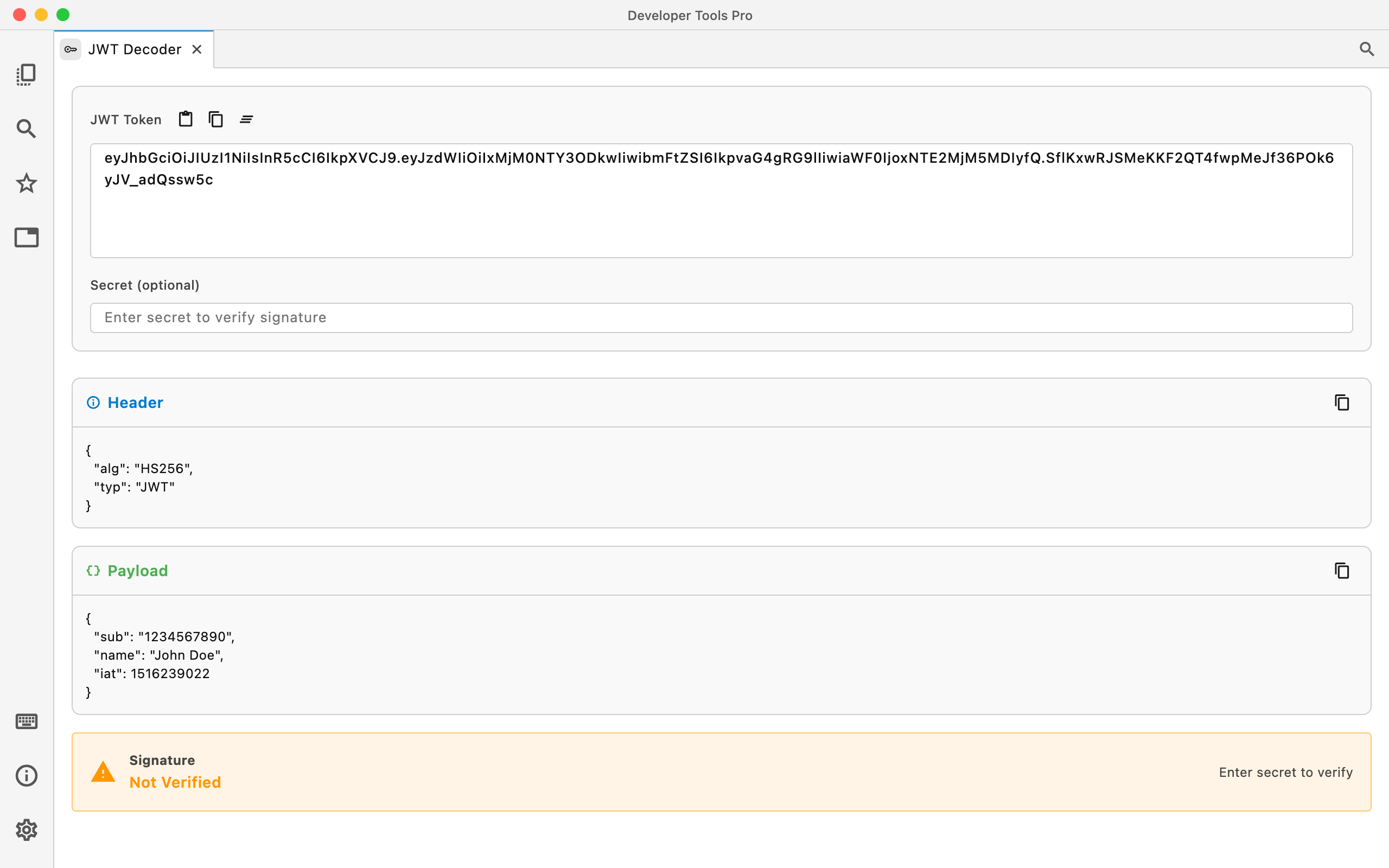
Inspect JWTs without sending them anywhere.
Paste a JSON Web Token and inspect its decoded header and payload in a readable form while debugging authentication and authorization.
Decode JWT payloads
Turn the encoded JWT payload into readable structured data.
Inspect token claims
Quickly inspect values such as subjects, roles, timestamps, scopes, and application-specific claims.
Keep tokens local
Your JWT is decoded on your device rather than being uploaded to a web service.
From token to readable claims
The middle section of a JWT is a Base64-encoded JSON payload. DevT Pro decodes it in place.
eyJhbGciOiJIUzI1NiIsInR5cCI6IkpXVCJ9.eyJzdWIiOiIxMjM0NTY3ODkwIiwibmFtZSI6IkF2YSIsImlhdCI6MTUxNjIzOTAyMn0.SflKxwRJSMeKKF2QT4fwpMeJf36POk6yJV_adQssw5c
{
  "sub": "1234567890",
  "name": "Ava",
  "iat": 1516239022
}
When a JWT Decoder is useful
Debugging authentication
Inspect the claims in a token when troubleshooting login, authentication, or authorization behavior.
Checking roles and scopes
See what permissions, roles, scopes, or application-specific values are present in a token.
Inspecting tokens from APIs
Quickly understand JWTs returned by development, staging, or production APIs without using a browser-based decoder.
Authentication tokens should stay local.
JWTs can contain user identifiers, permissions, account information, internal application data, and other sensitive values. Using a local decoder means you don't have to paste those tokens into an arbitrary website just to inspect them.