JSON Formatter
Format messy or minified JSON into clean, readable JSON directly on your device. No uploads, no account, and no internet connection required.




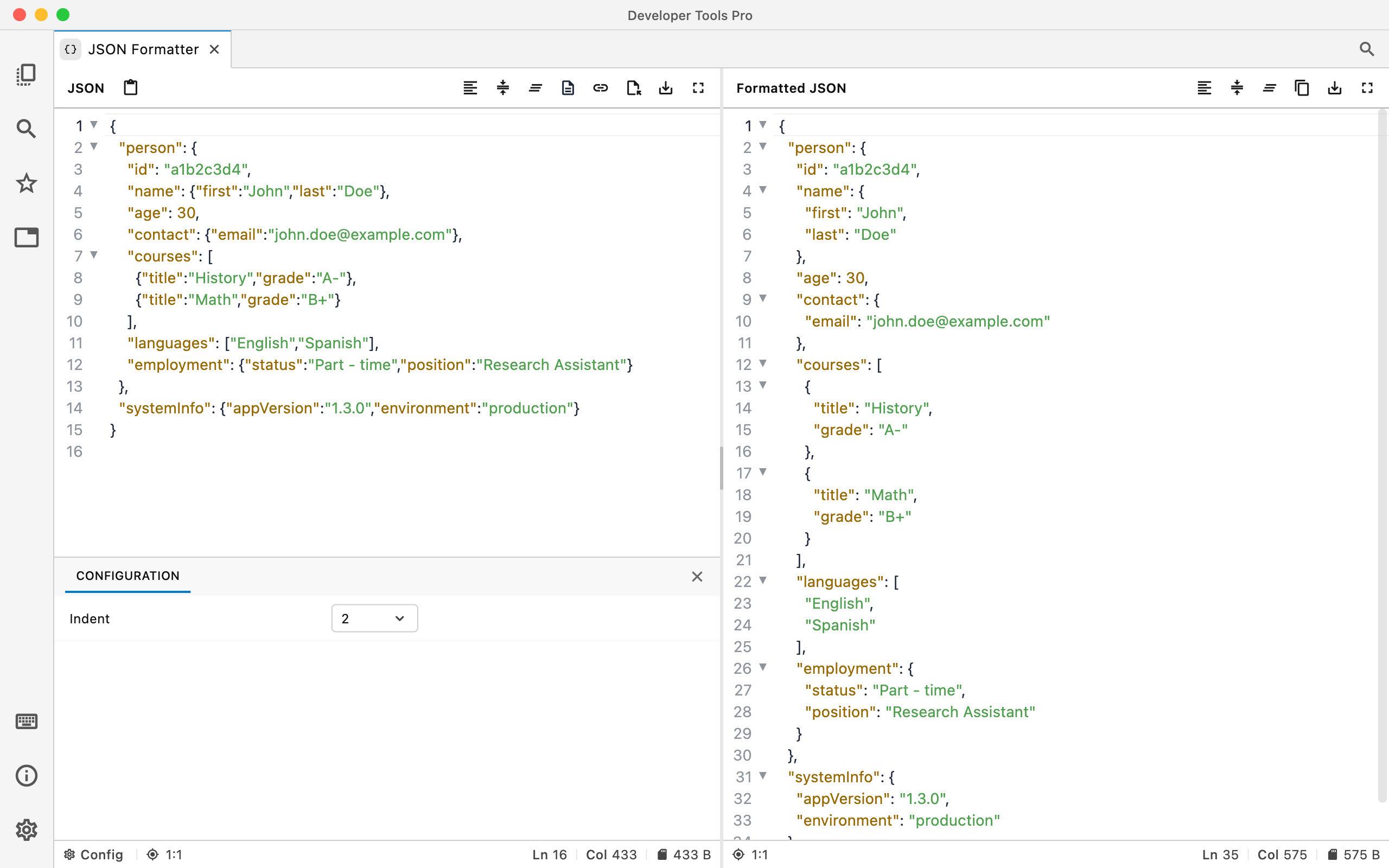
Make JSON easier to read.
Paste JSON and turn it into a consistently formatted structure that's easier to inspect, debug, copy, and edit.
Clean formatting
Turn compact or hard-to-read JSON into properly indented, readable data.
Fast debugging
Make nested objects and arrays easier to inspect while working with APIs, configuration, logs, or application data.
Private by default
Formatting happens locally. Your JSON isn't uploaded to DevT Pro or another web service.
From minified to formatted
The data stays exactly the same while consistent indentation and line breaks make the structure easy to scan.
{"user":{"id":42,"name":"Ava"},"roles":["admin","developer"],"active":true}
{
  "user": {
    "id": 42,
    "name": "Ava"
  },
  "roles": [
    "admin",
    "developer"
  ],
  "active": true
}
When a JSON Formatter is useful
API responses
Pretty-print API responses so nested objects, arrays, and values are easier to inspect while debugging.
Configuration files
Clean up JSON configuration before reviewing, editing, or sharing it with your team.
Logs and debugging data
Turn compact JSON from logs, consoles, and application output into something you can quickly understand.
Your JSON stays on your device.
JSON often contains internal API responses, user data, tokens, configuration, or other information you may not want to paste into an online formatter. DevT Pro processes JSON locally.