cURL to Python Converter
Turn cURL commands into Python code without manually rewriting URLs, headers, request bodies, and authentication options.
Try the free online cURL to Python Converter in your browser →




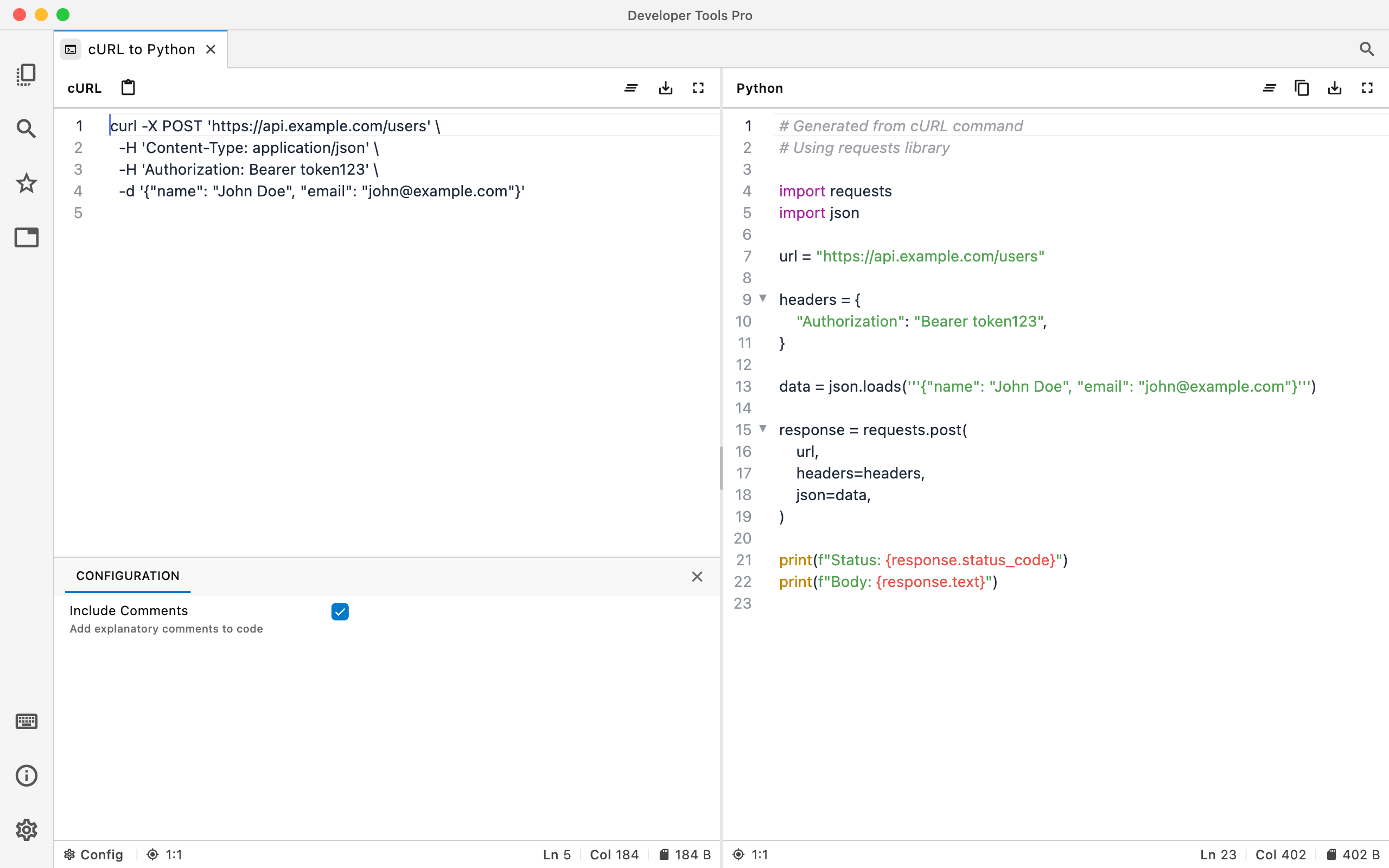
Go from an API's cURL example to Python.
Paste a cURL command and convert it into equivalent Python code you can use as a starting point in your application or script.
Convert requests quickly
Avoid manually translating cURL syntax every time an API's documentation gives you a command-line example.
Keep request details intact
Move request URLs, headers, methods, and other request information into Python code more quickly.
Convert locally
API keys, bearer tokens, internal URLs, and request data don't need to be pasted into an online converter.
From cURL to Python
URLs, headers, and request options carry over into clean Python using the requests library.
curl https://api.example.com/users \
  -H "Accept: application/json"
import requests

response = requests.get(
    "https://api.example.com/users",
    headers={
        "Accept": "application/json"
    }
)
When cURL to Python is useful
API documentation
Many API docs provide ready-to-run cURL commands. Convert them into Python instead of recreating the request manually.
Prototyping integrations
Start with a working cURL request and quickly turn it into code for a Python script, backend service, automation, or integration.
Debugging API calls
Compare the cURL request that works with the generated Python request when troubleshooting headers, methods, or request data.
API requests often contain secrets.
Real-world cURL commands frequently contain authorization headers, bearer tokens, API keys, internal hosts, cookies, or private request payloads. A local converter lets you work with those requests without sending them to another website.